Python Programming Course for Beginners and Projects
Python programming course with instructor Yatendra helps students, beginners, job seekers and project learners understand Python syntax, variables, conditions, loops, functions, lists, tuples, dictionaries, files, modules, error handling and beginner project assignments.
This python programming course page is designed for learners who want a simple start in coding and practical problem solving. The class can begin from zero level and move toward useful programs, data handling, automation basics, file work and project readiness.
Python Programming Course Fee and Class Format
The course fee is simple, so learners can start python programming course practice without confusion.
Charged per live online class for Python programming topics.
One focused hour for concept explanation, coding and doubt solving.
No group class. The learner gets personal Python code checking and debugging support.
Why Python Programming Course Is Important
Python is popular because it is readable, beginner-friendly and useful for automation, data work, web development, scripting and project learning.
Good python programming course training helps learners understand code clearly, build logic slowly and create practical programs without feeling lost in complex syntax.
Python uses clean syntax, so beginners can focus more on logic, input, output, conditions, loops and functions.
Conditions, loops, lists and functions help learners solve problems step by step.
Python is used in many school, college and certificate courses for practical programming assignments.
Lists, tuples, dictionaries and files help learners store and process information.
Python can be used for small automation, file handling and repeated task practice.
After Python basics, learners can continue toward data analysis, web development, APIs, automation or AI basics.
Python Programming Course Syllabus
This syllabus is practical and can be adjusted for beginners, school students, college learners, job seekers and project trainees.
| Module | Topics Covered | Practice Work |
|---|---|---|
| Python Setup | Python installation, IDLE, VS Code, PyCharm basics, file saving and first program. | Install Python or open a ready environment and run first script. |
| Basic Syntax | Print, comments, indentation, statements, variables and code structure. | Write clean beginner Python programs. |
| Data Types | int, float, string, bool, type conversion and input handling. | Create programs for marks, salary, area and simple calculations. |
| Operators | Arithmetic, comparison, logical, assignment, membership and identity operators. | Build calculation and comparison programs. |
| Decision Making | if, elif, else, nested conditions and decision logic. | Create grade, eligibility, calculator and menu programs. |
| Loops | for loop, while loop, range, break, continue and nested loops. | Print series, tables, patterns, sums and repeated calculations. |
| Strings | Indexing, slicing, string methods, formatting and text processing. | Create name, password, text cleanup and formatting programs. |
| Lists and Tuples | List creation, indexing, append, remove, sort, loop through lists and tuple basics. | Create marks list, item list, search and sort programs. |
| Dictionaries and Sets | Key-value pairs, add, update, delete, loop, lookup and set basics. | Create student record, phone book or product dictionary programs. |
| Functions | Function definition, parameters, return values, default arguments, scope and recursion basics. | Break programs into reusable functions. |
| Modules | Import, math, random, datetime, custom modules and package idea. | Create programs using built-in modules. |
| Exception Handling | try, except, finally, common errors and safe input handling. | Handle input mistakes and runtime errors. |
| File Handling | Open, read, write, append, close, with statement and text files. | Save and read simple records from a file. |
| OOP Basics | Class, object, constructor, methods, attributes and simple inheritance idea. | Create student, product or account classes. |
| Mini Project | Menu, functions, lists, dictionaries, files, validation and testing. | Create a student, billing, quiz or contact-book project. |
9 Powerful Skills You Will Practice
Python programming course practice should make the learner confident with writing, reading, debugging and explaining Python code.
Write clean Python programs with indentation, comments, variables and output.
Take user input, convert values and display formatted results.
Use conditions and loops to solve practical problems.
Use lists, tuples, dictionaries and sets for data handling.
Break repeated logic into reusable functions.
Use math, random, datetime and custom modules.
Use try except blocks to handle common program errors.
Read and write text files for simple data storage.
Build, test, debug and explain beginner Python projects.

Software Required for Python Programming Course
The learner should have a working computer or laptop and a Python coding environment.
For python programming course practice, learners can use Python IDLE, Visual Studio Code, PyCharm, Jupyter Notebook or another suitable editor. Beginners can start with IDLE or VS Code depending on device and comfort.
A stable internet connection is required for live online class. If setup is required, the first session can include Python installation, editor setup, first script execution and basic troubleshooting.
For official reference, learners can review Python documentation and Python official website. These links support reference learning, while live class focuses on coding practice and doubt solving.
Class Plan for Python Programming Course
The class plan can be customized, but a clear path helps learners move from first script to mini project.
The first discussion checks whether the learner is a beginner, school student, college student or project learner.
The learner runs first scripts and understands print, variables, input, data types and indentation.
The class moves into operators, conditions, loops, strings and repeated problem-solving exercises.
The learner practices lists, tuples, dictionaries, functions, modules, exceptions and files.
The learner completes programs independently, receives correction and prepares a small Python project.
Video Support With Live Training
Video learning is useful for revision, while live programming class helps with personal code correction.
You can subscribe to Yatendra YouTube Channel for computer learning videos. You can also open the computer learning playlist for revision before or after python programming course classes.
A video can show a Python program, but live python programming course guidance can check the learner’s exact code. If indentation is wrong, a loop fails, a list index is incorrect or a dictionary lookup creates an error, the instructor can correct the real program during class.
Python Programming Course Assignments
Assignments make the course practical because the learner must write, run and explain Python programs independently.
Create programs for area, simple interest, salary, marks percentage and unit conversion.
Create grade, eligibility, largest number, calculator and menu-driven programs.
Print tables, factorial, Fibonacci series, prime check, sum of digits and number patterns.
Find maximum, minimum, sum, average, search value, sort numbers and manage item lists.
Create student records, contact books, product data and lookup programs.
Create a quiz, billing, student record, contact book or file-based project.
Beginner Python Projects You Can Learn
A useful course should connect Python topics with practical beginner projects.
In live python programming course sessions, projects are built step by step so the learner understands requirement, data structure, functions, testing and final output.
Create a question-answer quiz with score calculation, conditions and final result display.
Use dictionaries or lists to store names, phone numbers, search records and update details.
Create item entry, quantity, price, total, discount and invoice-style output.
Calculate total, percentage, grade, pass/fail status and save records.
Store and read text records using file handling and simple menus.
Practice repeated file, text or calculation tasks using simple scripts.
The goal is not only to complete one project. The learner should understand how each part works: input, processing, output, functions, data storage and error handling. This makes future Python learning easier.
Common Python Mistakes Fixed in Class
Many beginners understand Python examples but get stuck when errors appear in their own code.
One common mistake is indentation. Python uses indentation to define code blocks, so wrong spacing can stop the program or change its meaning. The class explains indentation slowly with if, loop and function examples.
Another common mistake is input conversion. User input is text by default, so numbers must be converted before calculation. Learners practice int, float and safe input handling.
Loops can create confusion when conditions never become false or range values are misunderstood. The learner practices dry runs and sample outputs to understand loop behavior.
Lists and dictionaries also create doubts. A learner may use the wrong index, wrong key or wrong method. The class explains how to read data structures and debug lookup errors.
File handling can fail when the path, mode or close process is wrong. The learner practices with simple files first, then moves toward small record programs.
This is why python programming course practice is useful for learners who want real code correction, not only copied examples.
Practice Method Used During the Course
The course follows a practical method: understand the problem, plan logic, write code, run it, debug errors and explain output.
The python programming course practice method keeps the learner active during class by writing Python programs instead of only watching examples.
The learner understands input, output and required processing before writing code.
The program is planned with variables, conditions, loops, functions or data structures.
The learner writes the script in the editor with proper indentation and naming.
The code is tested with different sample values and expected results.
Syntax errors, indentation errors and logic mistakes are corrected in class.
The learner explains logic, functions, data flow and output for practical confidence.
This method works because programming is learned by doing. A learner who writes code, checks output and fixes mistakes develops confidence faster than a learner who only reads programs from notes.
Study Path After Python Basics
After core Python practice, learners can choose a direction according to their goal, class requirement or career plan.
A school student may focus on syllabus programs, practical-file questions, flow of logic, output tracing and viva preparation. For this learner, the main requirement is accuracy, clear explanation and repeated practice with common programs.
A college student may need assignments, mini projects, file handling, modules, error handling and project documentation. This learner should understand the code well enough to modify it and explain every function during practical discussion.
A job seeker may use Python as a starting language before learning data analysis, web development, automation or software testing. For this learner, clean coding habits, problem-solving and regular practice are more important than memorizing many libraries at once.
An office user may want small scripts for repeated tasks, file processing, text cleanup or simple calculations. This path can begin with lists, files, functions and modules, then slowly move toward automation examples.
Coding Readiness Checklist
This checklist helps learners prepare before each live class and get better value from the session.
Open Python, IDLE, VS Code or PyCharm before class so time is not lost in setup.
Use clear file names and folders so previous programs can be found for revision.
Keep a list of errors, confusing topics and programs that need correction.
Practice old programs before the next class to confirm that the logic is remembered.
Use different numbers, text values and edge cases to check whether the program works correctly.
Try to explain the program step by step. If explanation is difficult, that topic needs more practice.
This habit improves learning quality. Programming becomes easier when the learner keeps files organized, practices between classes and asks specific questions instead of waiting until the topic becomes too large.
Who Should Join Python Programming Course?
This course is suitable for learners who want a beginner-friendly start in coding and practical problem solving.
Students can learn Python basics, lab programs, practical-file support and project assignments.
College learners can prepare programs, assignments, mini projects and viva explanation.
Beginners can start from zero level with slow explanation and repeated practice.
Job seekers can build programming confidence before technical courses or interviews.
Office users can learn small scripts, file handling and automation thinking.
Learners planning web development, data analysis or automation can build Python basics first.
Learning Results After Python Programming Course
Results depend on practice, attendance and assignment completion, but the course is designed for visible coding improvement.
After python programming course completion, a learner should be able to write basic Python scripts, use variables, take input, apply conditions, run loops, process strings, use lists and dictionaries, create functions, handle errors, use modules and work with simple files.
The learner should also understand why logic planning matters before coding. If the problem is not understood, the program becomes confusing. A clear plan helps decide variables, loops, functions and output format before typing code.
For students, python programming course support can help with practical files, lab programs, mini projects and viva explanation. For beginners, it builds confidence before data analysis, web development, automation or AI-related learning.
The class does not promise programming mastery in one session. It gives a practical path. The learner practices, sends assignments, receives correction and improves step by step.
Suggested WhatsApp Message
Hello Yatendra Sir, I want python programming course. My current level is [beginner/intermediate]. I want to learn [loops/functions/lists/files/project]. Please send syllabus, fee and available timing.
This message helps the instructor suggest the right starting topic and class plan.
Related Course Pages
Python programming course can be taken as a separate course or as part of a larger programming learning path.
Programming Language Course covers C, C++, C#, Python and coding foundations.
C Programming Course helps with core syntax and logic building.
CPP Programming Course helps with OOP thinking.
C Sharp Programming Course is useful for .NET development.
HTML CSS JavaScript Course helps with front-end web skills.
Online Computer Class Fees explains Rs. 500 per 60-minute class.
Online Computer Certificate Course explains certificate support.
Contact Page is available for course enquiry and timing.
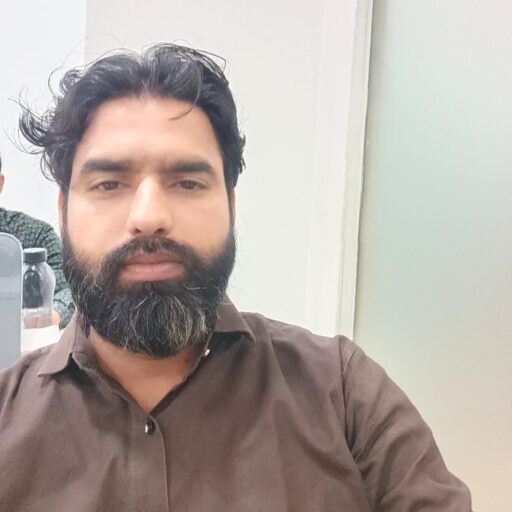
Python Programming Instructor
Yatendra teaches python programming course classes with practical one-to-one attention. His qualifications include MCA, BCA, PGDCA and A Level (NIELIT).
- Instructor: Yatendra
- Qualification: MCA, BCA, PGDCA, A Level (NIELIT)
- Phone/WhatsApp: +91 9871715299
- Email: info@computerclass.co.in
External Learning Links
These outbound links support official reference and trust.
Python Programming Course FAQ
These answers help learners understand the course before joining.
What is covered in python programming course?
Python programming course covers syntax, variables, input output, operators, conditions, loops, strings, lists, tuples, dictionaries, functions, modules, exception handling, files, OOP basics and mini projects.
What is the fee for this course?
The fee is Rs. 500 per 60-minute live one-to-one online class.
Can a beginner join this course?
Yes. A beginner can start from setup, first script, syntax, variables and basic logic.
Which software is required?
Python IDLE, Visual Studio Code, PyCharm, Jupyter Notebook or another suitable Python environment can be used.
Will I get assignments?
Yes. Assignments include calculations, decisions, loops, lists, dictionaries, functions, files and mini project practice.
Is Python useful for future learning?
Yes. Python basics support automation, data analysis, web development, APIs and AI-related learning paths.
Start Python Programming Course Online
Send your current level, programming goal and preferred timing on WhatsApp. You will receive syllabus guidance, fee details and available timing for live one-to-one Python programming class.